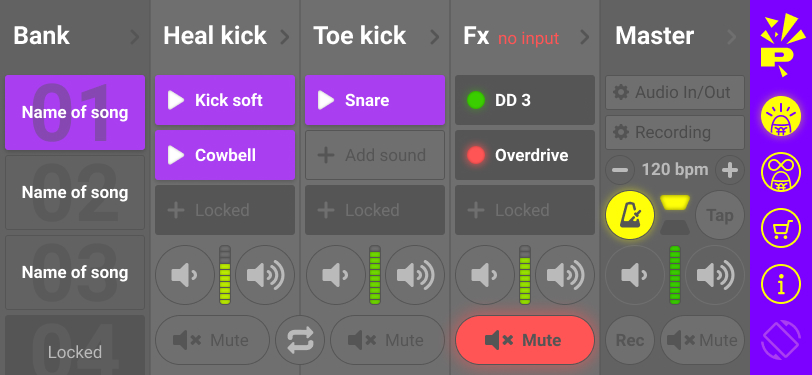
Main Performance Screen
The main view combines song banks, kick zones, FX blocks, and master controls into a single stage-focused layout.

New App Version
Studio expands the Stompai workflow into a single performance screen with song banks, heel and toe kick assignments, live FX, audio input routing, metronome control, and onboard recording.
Release Day: June 1
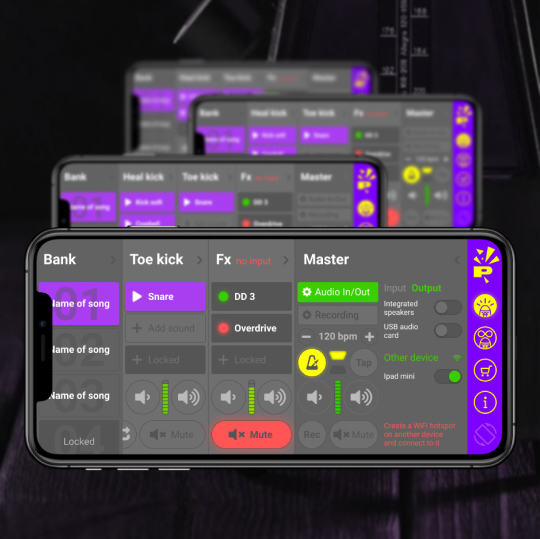
Built for Performance
The new layout keeps sound selection, playback control, live processing, and master settings visible at the same time.
Load and switch between songs from a dedicated bank column without breaking your setup flow.
Assign distinct sounds to heel kick and toe kick lanes for more expressive foot performance.
Route external audio into the FX channel and shape the sound from inside the same performance view.
Access metronome, recording, volume, and transport controls without leaving the main screen.
Why Studio
The screenshots point to a more complete rig for performers who need percussion, processing, and capture in one place.
Bank, kick lanes, FX, and master controls stay visible together so you can make decisions fast while playing.
Build song-specific kits by selecting different hits and assigning them to each active zone.
Drive, dry/wet mix, feedback, and timing controls make the FX section useful as part of the performance, not an afterthought.
Choose built-in or USB audio sources directly in the app when routing guitar or other external signals.
Open recording controls from the master section and manage saved songs without leaving the main interface.
Metronome and tap controls sit next to the master lane so timing stays central to the whole setup.
Screens
The main view combines song banks, kick zones, FX blocks, and master controls into a single stage-focused layout.
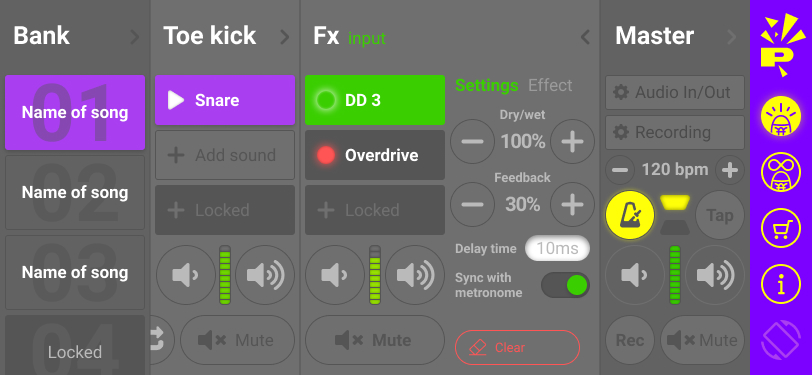
Dial in live processing with dry/wet mix, feedback, delay time, and sync settings directly from the FX column.
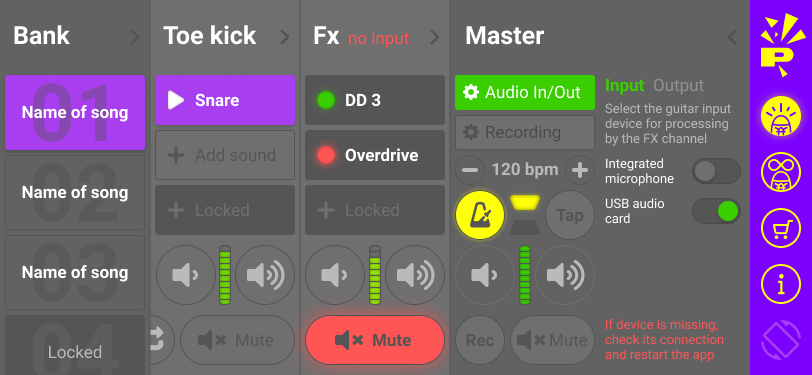
Switch between integrated microphone and USB audio card input when feeding external sound into the app.
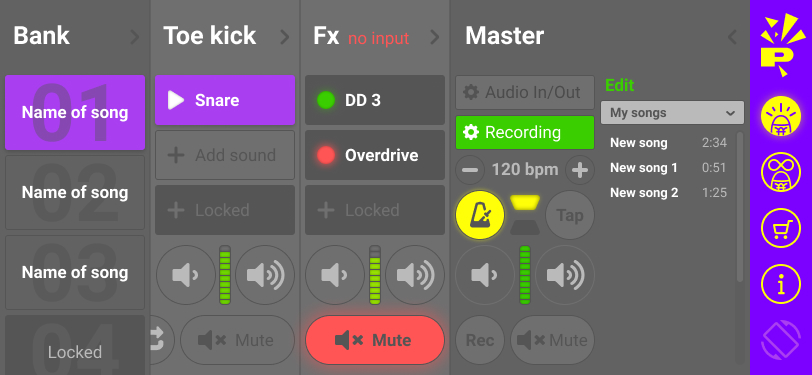
Recording lives inside the master section, alongside song management for quick capture and playback review.
Store Preview
These vertical previews show the main messaging around kick sounds, FX, recording, and sync.
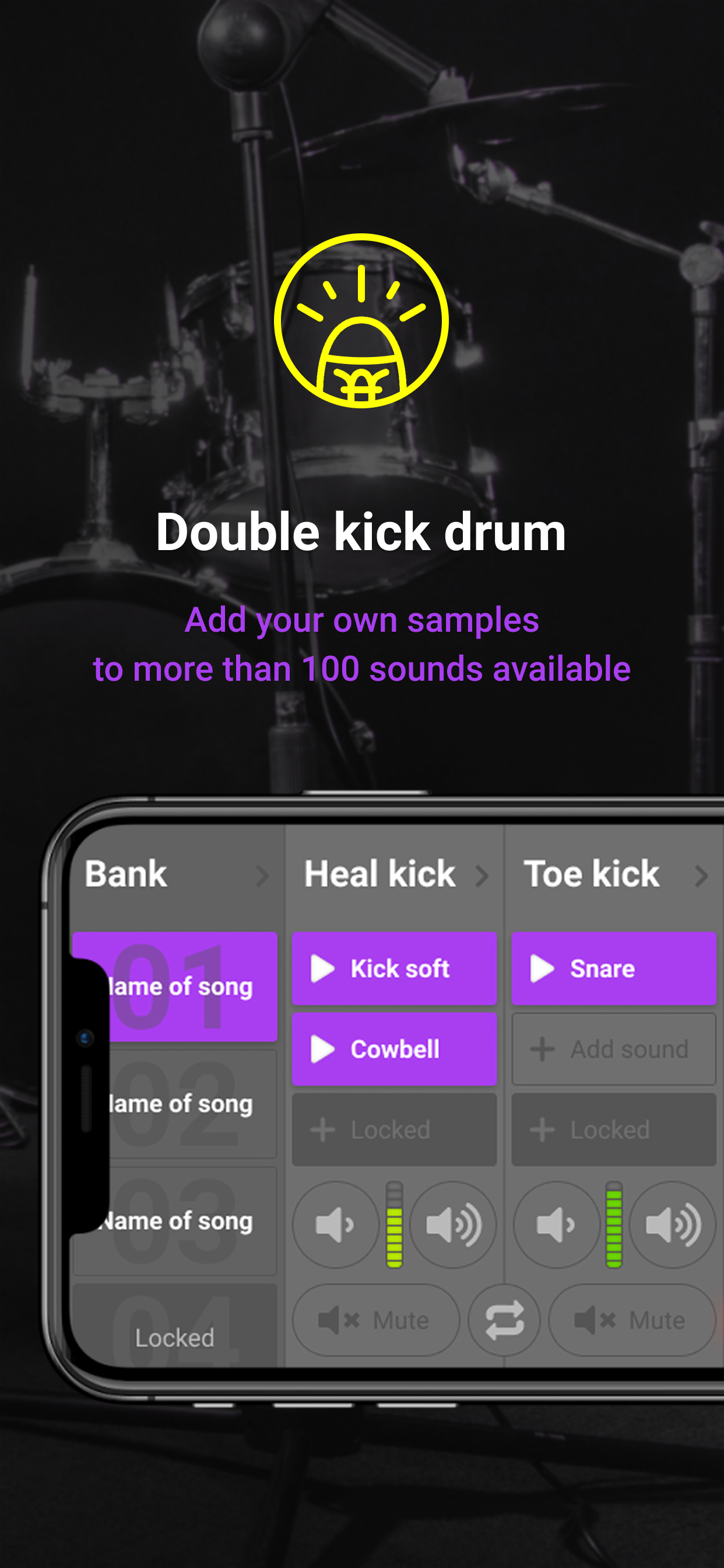
Highlights the expanded drum workflow, including custom samples and a larger sound library.
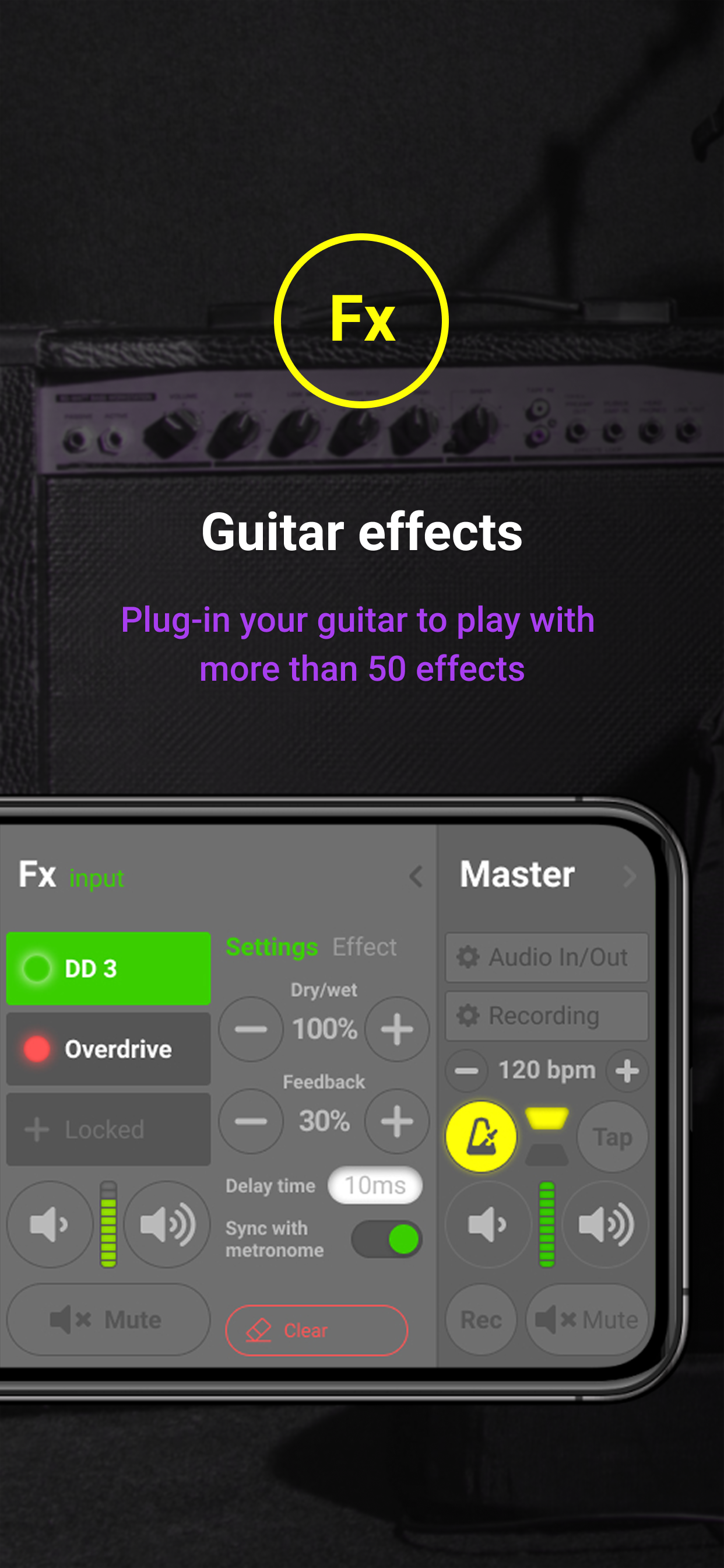
Positions the FX channel as part of the live rig, with a larger set of effects for instrument processing.
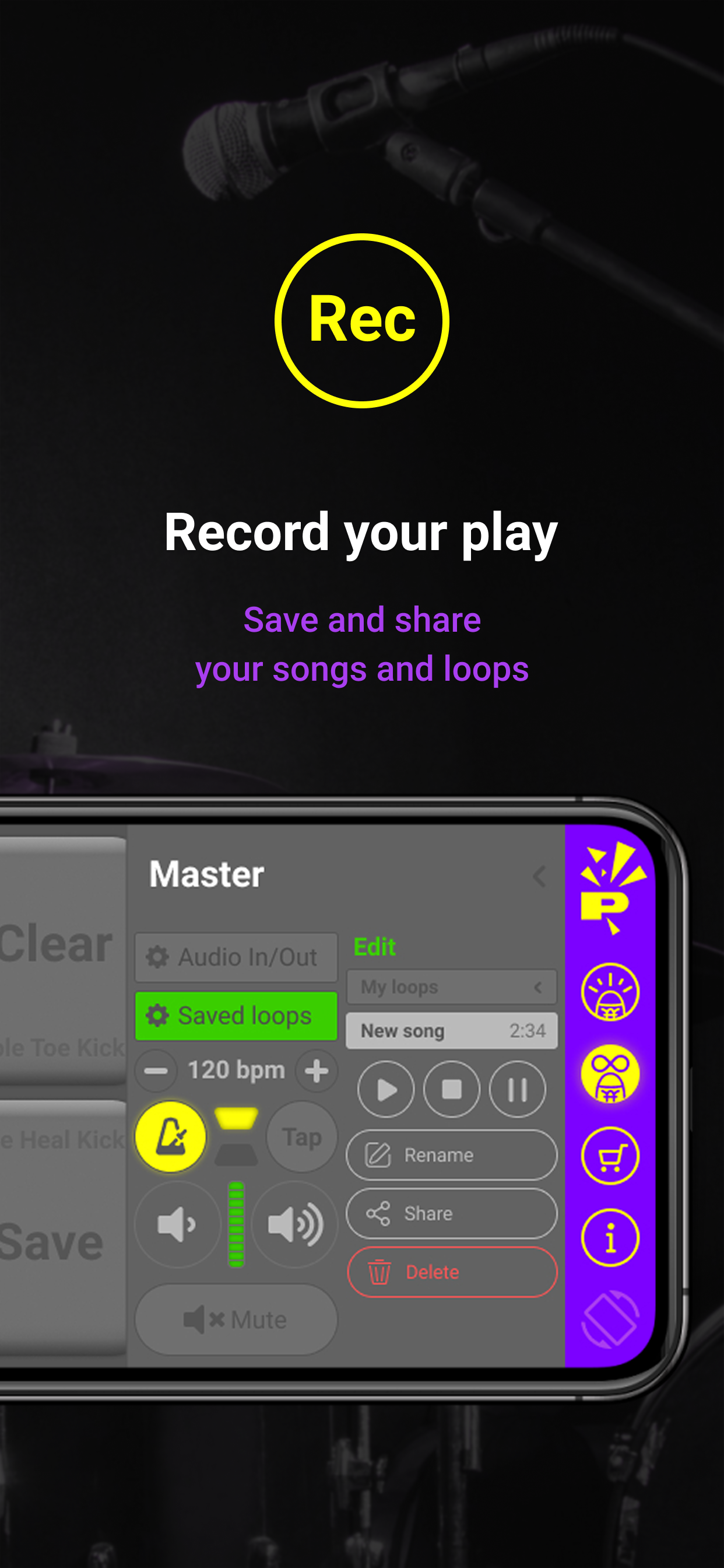
Shows saved loops, transport actions, and basic sharing tools inside the master workflow.
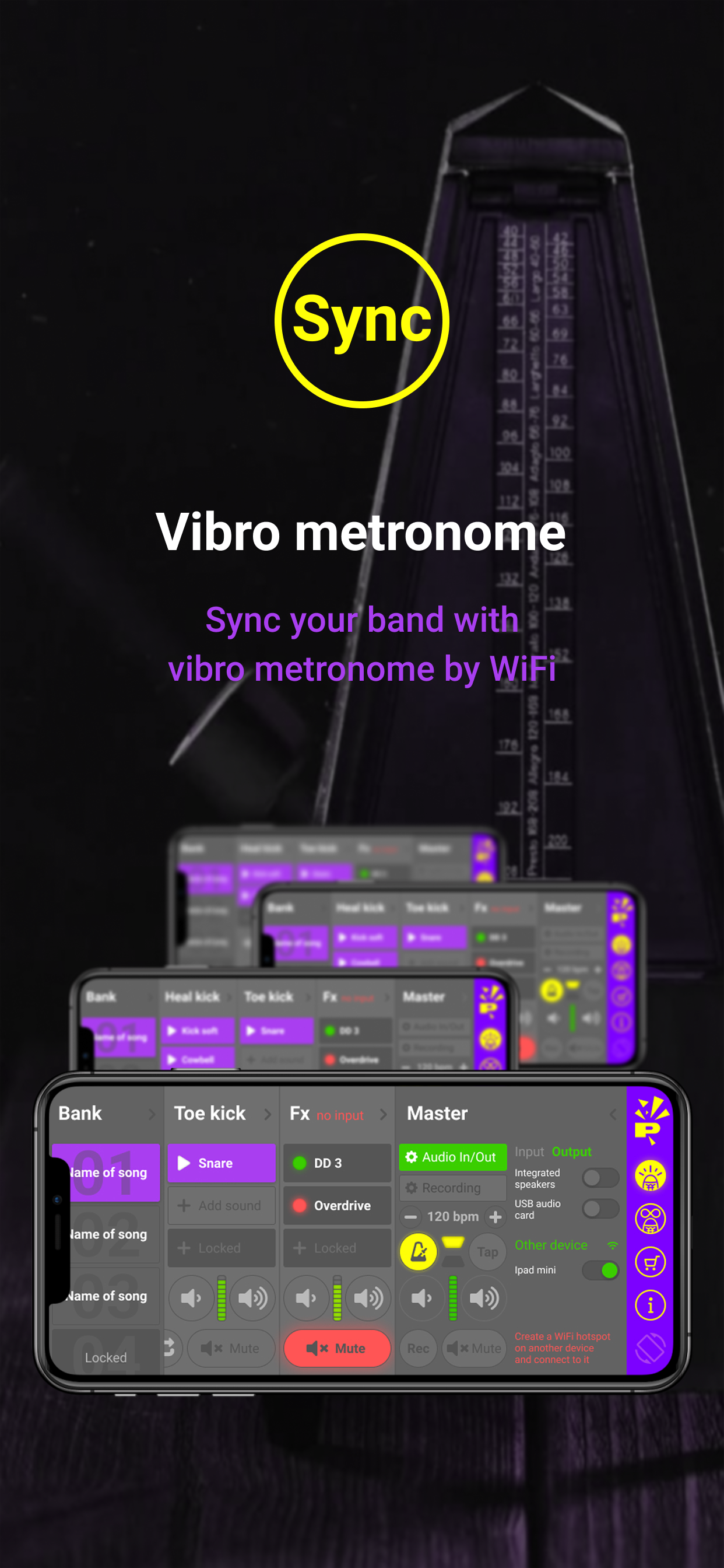
Emphasizes sync tools designed to keep a band locked to the same pulse.
Studio
If you want setup help, release info, or a walkthrough of the new Studio workflow, use support or contact the team directly.
Early Access
Add your email to get release updates and early access news for Studio.